

App Subscriptions
Crowdin Store offers various apps you can install to extend Crowdin functionality, synchronize your content stored on a CMS, and more.
Some of the apps are available for free, while others are paid. You might easily distinguish paid apps since all of them have the subscription price specified.
Sobald du die kostenpflichtige App installierst, wird der 30-tägige kostenlose Testzeitraum für dich aktiviert. After the free trial, you will be asked to subscribe.
Abhängig vom Datum, an dem du das kostenpflichtige App-Abonnement im Verhältnis zu deinem primären Crowdin Enterprise-Abonnement aktivierst, kann der erste Zahlungsbetrag von den regulären Kosten des App-Abonnements abweichen. Im nächsten Abrechnungszeitraum wird das App-Abonnement dann vollständig in dein primäres Crowdin Enterprise-Abonnement eingeschlossen. Information about all active paid app subscriptions will be added to your invoices.
Once the 14-day trial period ends, you’ll be asked to subscribe to continue using the paid app. To subscribe to the paid app, follow these steps:
- Open the app you’d like to purchase a subscription for. Je nach App-Typ kann sie sich in der Crowdin Enterprise UI auf der Integrations-Seite des Projekts, im Editor etc. befinden.
- Click Subscribe.
- You’ll be redirected to the checkout page.
- Fill in all the required fields.
- Click Proceed to payment to complete the purchase.
Da alle Crowdin Enterprise-Abonnements jährlich abgerechnet werden, werden deine kostenpflichtigen App-Abonnements zusammen mit den Pseudo-Abbuchen deines primären Crowdin Enterprise-Abonnements von deinem Kontoguthaben abgezogen. Wenn dein primäres Crowdin Enterprise-Abonnement beispielsweise ein Team+-Tarif ist (5.400 $ jährliche Abrechnung, die als Pseudo-Abbuchungen von 450 $/Monat von deinem Crowdin Enterprise-Kontoguthaben abgezogen werden) und du eine kostenpflichtige App für 139 $/Monat abonnierst, werden jeden Monat insgesamt 589 $ von deinem Kontoguthaben abgezogen.
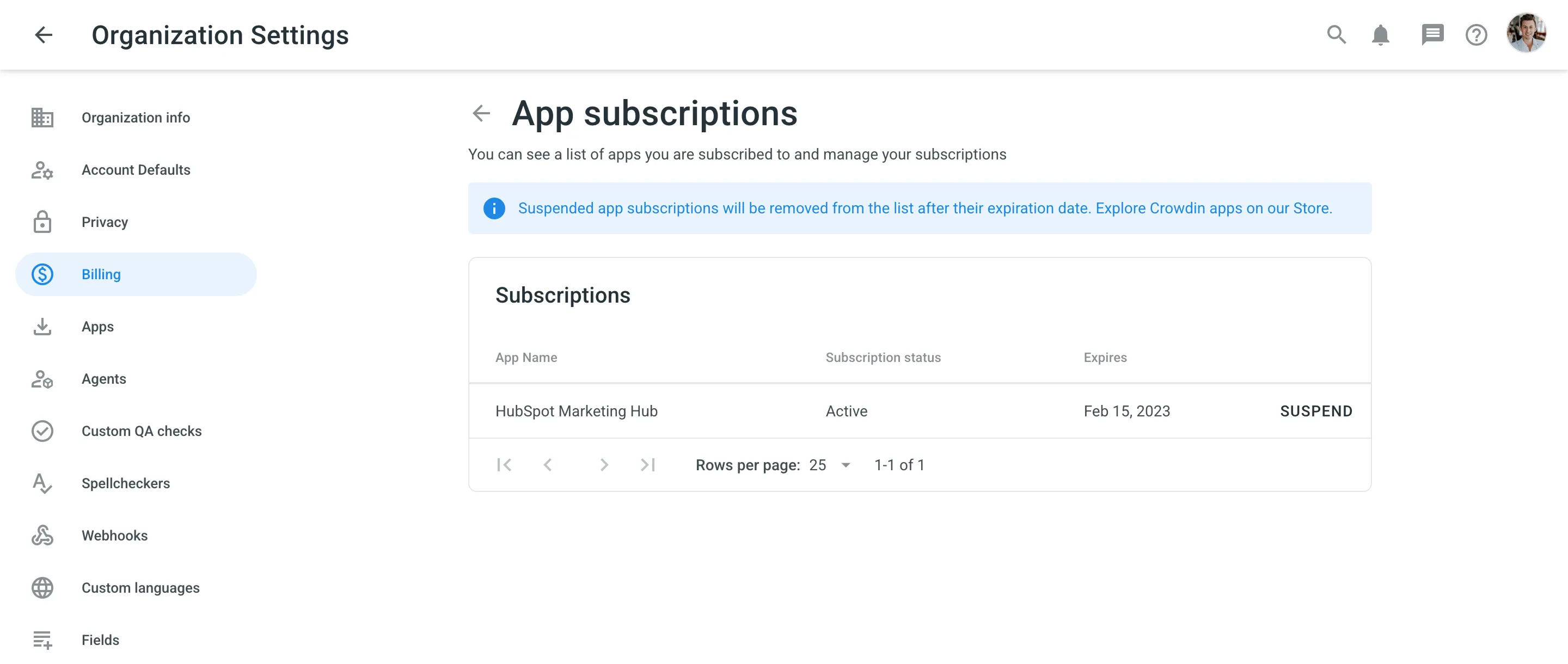
You can view your currently active paid app subscriptions, and if needed, you can suspend any of the app subscriptions at any time.
To suspend paid app subscription, follow these steps:
- Go to Organization Settings > Billing.
- Klicke auf App-Abonnements.
- Click Suspend toward the app name.